
FFXtreme v2.0
An On-Screen Display for the Atari ST, built on top of Keir Fraser's FlashFloppy and FF OSD — their work is well worth a look first. FFXtreme extends FF OSD with a proper keyboard controller for the Atari ST and a few hardware add-ons, and runs on a cheap STM32F103C8T6 ("Blue Pill") board.
It overlays the current disk image name and status straight onto the ST's own screen, in colour (50 and 60Hz) and monochrome alike, and you control the Gotek entirely from the ST's own keyboard — no reaching for a button on the drive. With the optional expansion boards you can also switch TOS ROMs, boot from the external drive, toggle mono/stereo sound and reset the machine, all from the keyboard.

Features
- OSD over the ST's own picture, in colour (low/medium, 50 and 60Hz) and monochrome (high resolution)
- Control the Gotek from the ST keyboard — browse and select disk images without touching the drive
- On-screen settings menu for OSD position and timing per video mode
- Also works with FF OSD's LCD-I2C emulation
- With the optional expansion boards:
- TOS switcher — pick between up to four TOS versions (by default TOS 1.0, 1.02, 1.04 and EmuTOS) with Ctrl+Alt+F1–F4
- YM2149 expansion — toggle mono/stereo sound, boot from the external drive, and reset the machine
- FlashFloppy expansion — a small board that carries the Blue Pill and its connections
Keyboard shortcuts
Always held together with Ctrl+Alt:
| Key | Function |
|---|---|
| Help | Open the settings menu |
| ↑ | Next menu item / Gotek: select |
| ← / → | Adjust value / Gotek: previous/next image |
| Undo | Leave the menu without saving (also closes itself after 1 minute) |
| O | OSD on/off |
| B | Boot from internal/external drive (resets the ST, remembered) |
| S | Mono/stereo sound (remembered) |
| F1–F4 | Select TOS (resets the ST, remembered) |
| Delete | Reset the ST |
New in v2.0
October 2026's v2.0 is a big firmware overhaul: the OSD no longer jumps vertically in colour or mono, keyboard handling is far more reliable (mouse and joystick movement can no longer trigger hotkeys by accident, and hotkeys now really need both Ctrl and Alt), and your TOS, boot drive and sound choices are all remembered across a power cycle — including EmuTOS, which needs a cold start to work properly. Ctrl+Alt+Delete now resets the ST itself rather than the OSD controller. Upgrading from v1.9 resets the OSD's position settings to factory defaults, so note your H.Off/V.Off values first. Full details in the release notes.
Recommended FlashFloppy settings
When and what the OSD shows is actually decided by FlashFloppy, so it's
set in FF.CFG on the Gotek's USB stick:
display-off-secs = 5
osd-display-order = 0d,1
This hides the OSD after 5 seconds instead of leaving it up for a full minute, and shows the image name in double height with the status line underneath it, without the empty row an OLED-equipped Gotek otherwise adds above it.
Hardware
The only required part is a plain STM32F103C8T6 board (no pin headers,
preferably a genuine one rather than a clone), flashed over its UART pins
with a USB-TTL adapter or ST-Link — not through the Blue Pill's own micro
USB port. The three optional expansion boards (TOS switcher, YM2149, and
FlashFloppy carrier) have their Eagle and Gerber files in the repository's
hardware/ folder.
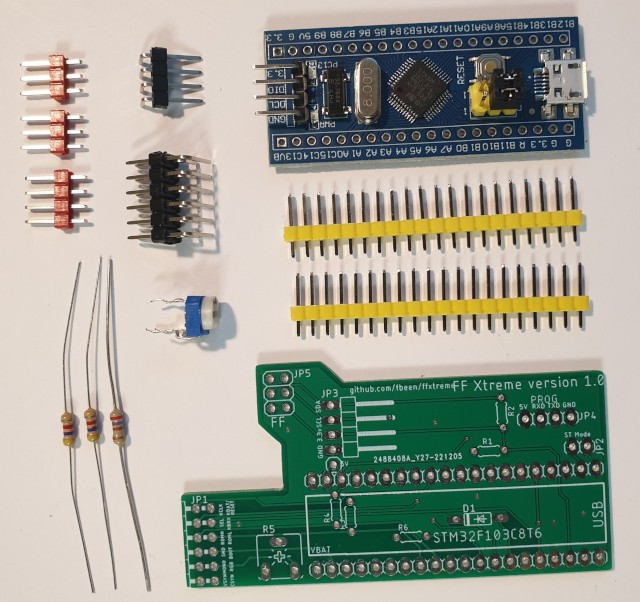
Fair warning: fitting the optional boards means desoldering the YM2149 sound chip and the TOS ROMs from the ST's own motherboard, so you'll want a desoldering tool and some soldering experience. All modifications are at your own risk.
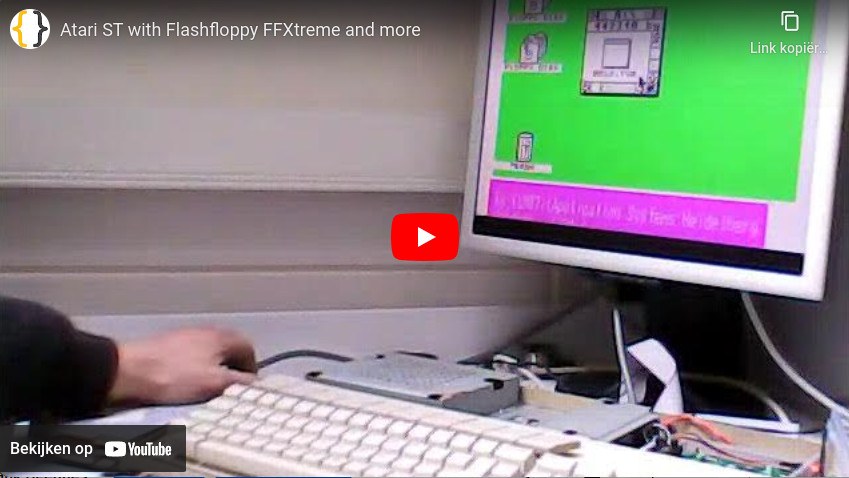
Demo video
Credits and license
Built on FF OSD and FlashFloppy by Keir Fraser — take a look at his work first. Released into the public domain under the Unlicense: free to use and share.
Firmware, build guide and downloads: github.com/RetroLoft/FFXtreme · wiki & build guide · downloads