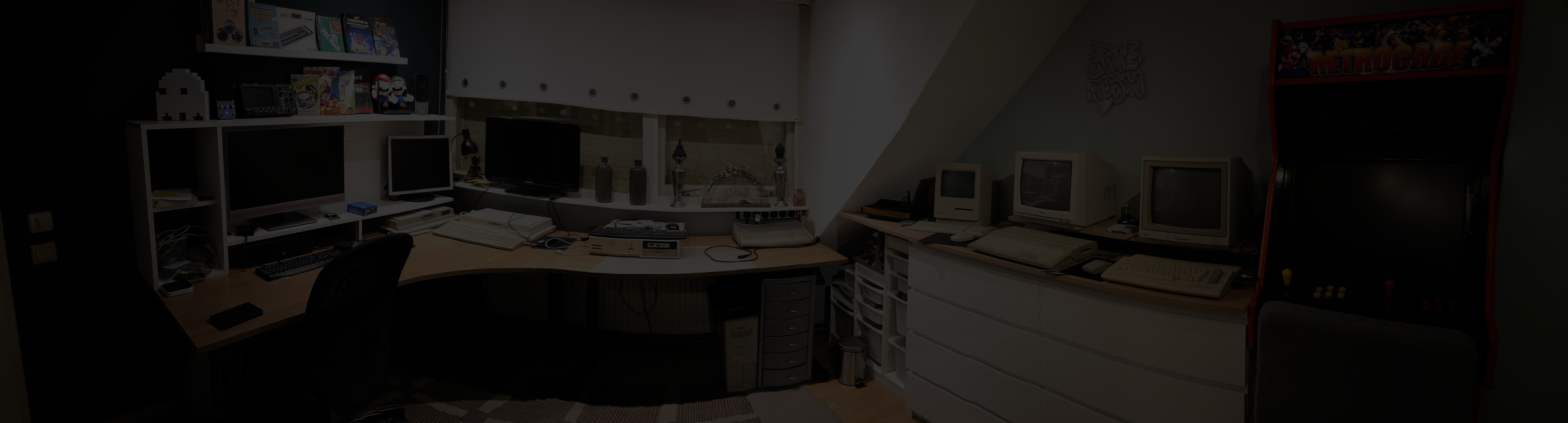

DDD HS-32: A Hidden Upgrade in My Atari Falcon030
While exploring my recently acquired Atari Falcon030, I noticed a small switch on the back of the case. There was no label explaining its purpose. Naturally, that meant the computer had to come apart.
Inside, I found a module labelled "HS-32 Beschleuniger Modul"—a DDD HS-32 accelerator. A rather nice surprise in a machine I was already very happy to own!
What Does the HS-32 Do?
The HS-32 allows the Falcon's Motorola 68030 processor to run at 32 MHz instead of its standard 16 MHz.
The memory bus remains at 16 MHz, so doubling the processor clock does not double the speed of the entire computer. Software that spends much of its time executing instructions from the processor's cache can benefit more than software that constantly accesses main memory.
The rear switch allows the machine to return to its original CPU speed when needed.
The Mystery Switch, Explained
My switch is connected to two long wires from the module: one brown, the other black.
Fortunately, photographs of the original installation instructions explain exactly how these work:
| Switch contacts | Operating mode |
|---|---|
| Closed: brown and black connected | Slow — 16 MHz |
| Open: brown and black disconnected | Fast — 32 MHz |
The physical position of the switch depends on how it was mounted and wired. "Up" or "down" therefore tells you nothing by itself. Checking continuity with the computer switched off and unplugged identifies which position closes the contacts.
The instructions describe this switch as optional for the HighSpeed 32 and recommend mounting it at the rear of the case—exactly where mine ended up.
Preserving the Original Instructions
Finding documentation for these old upgrades can be harder than finding the hardware itself.
In a discussion on Atari-home.de, forum member Highspeed shared photographs of three pages from the original installation instructions. These pages helped me identify the switch connections and understand the modifications inside my Falcon.
I have collected them here so they are easier to find and read. Click a page to see it at full resolution.
These are three surviving pages, not the complete manual. The first begins halfway through a sentence, and the third ends before its final sentence is complete.
Original Instructions — Page 1
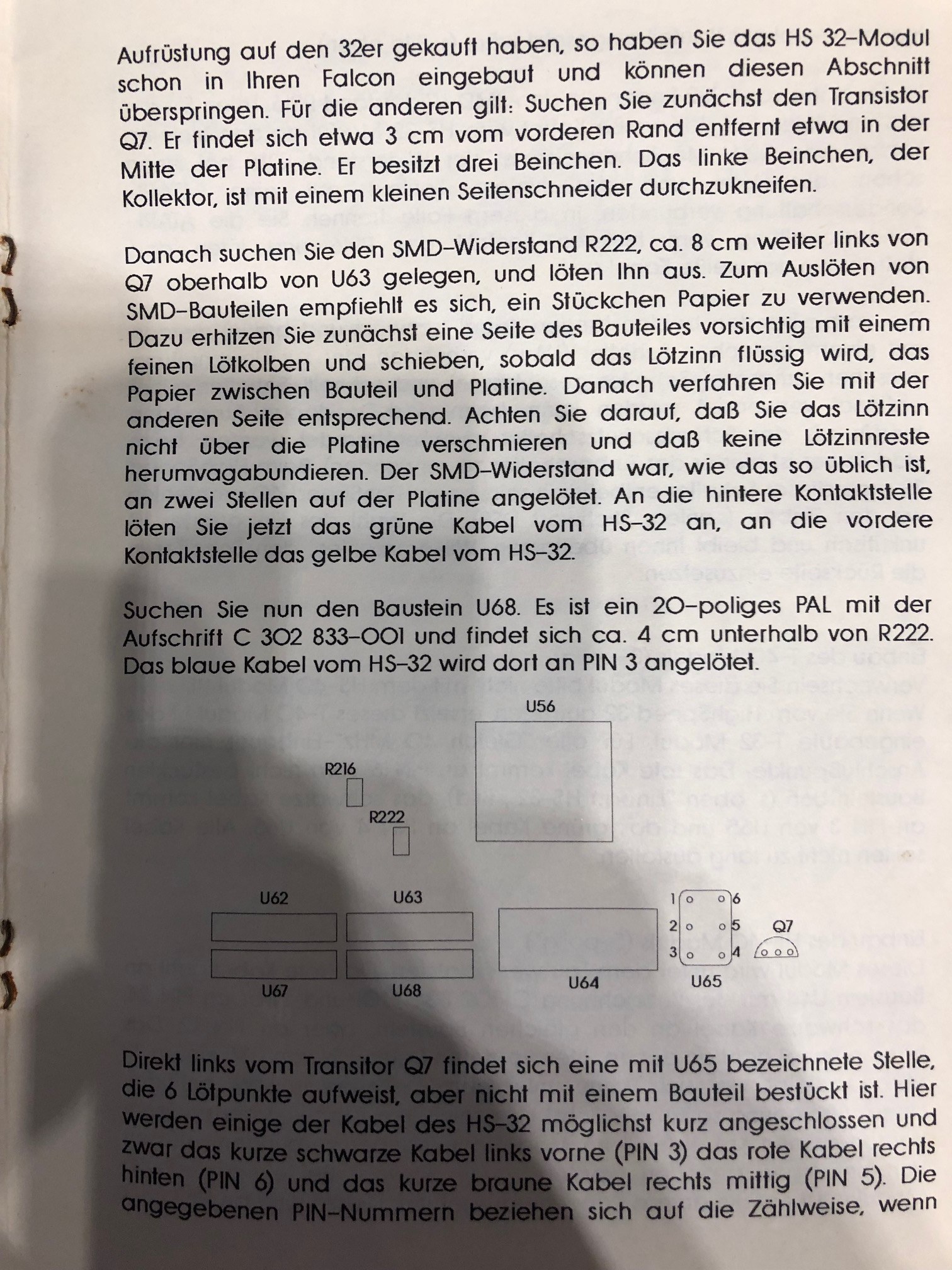
This page covers part of the HS-32 installation, including the connections around R222, R216, U68 and the unpopulated U65 position.
Original Instructions — Page 2
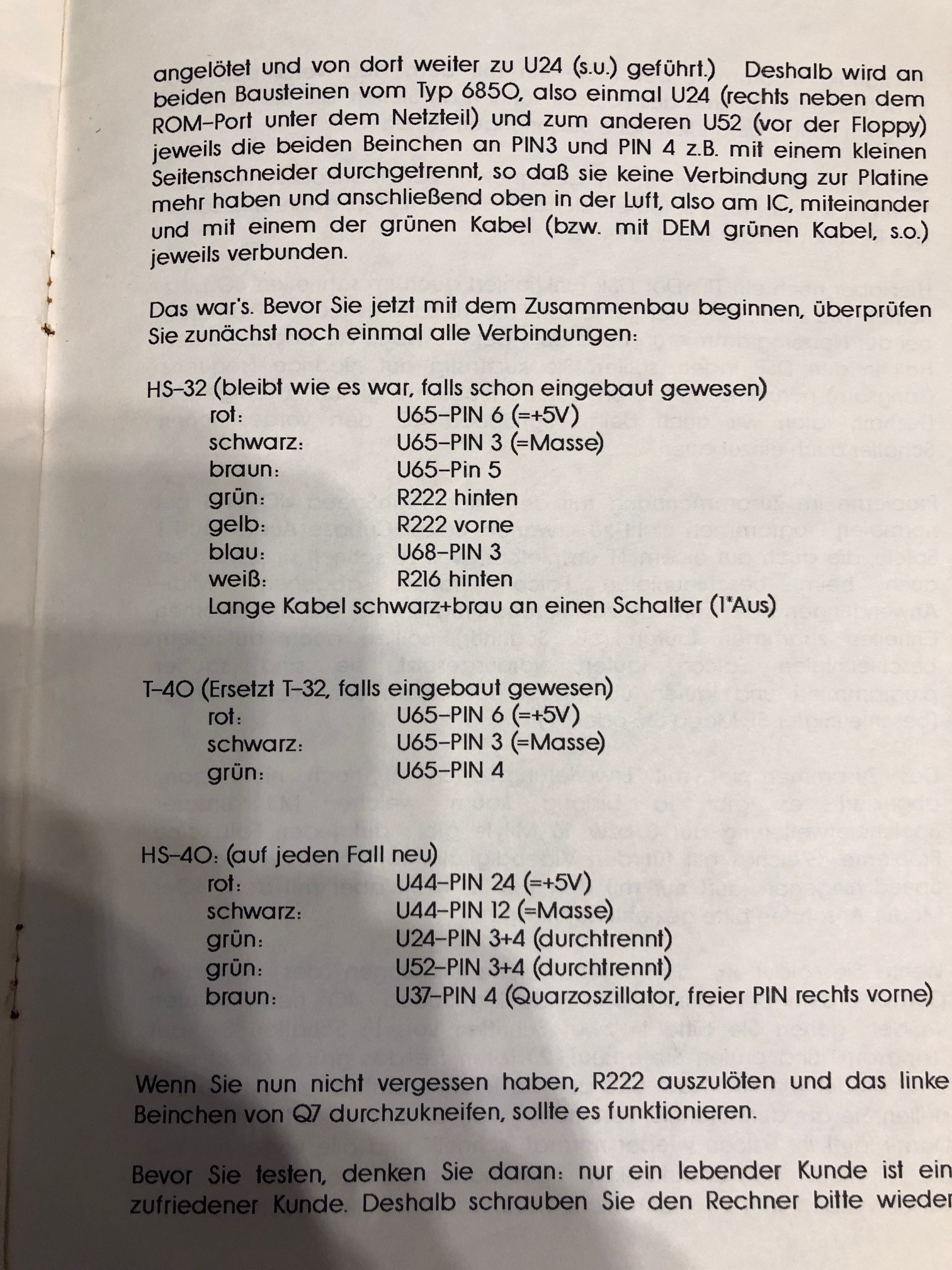
This page contains the explanation of the brown and black switch wires. It also introduces the T-40 and HS-40 modules used for the HighSpeed 40 configuration.
Original Instructions — Page 3
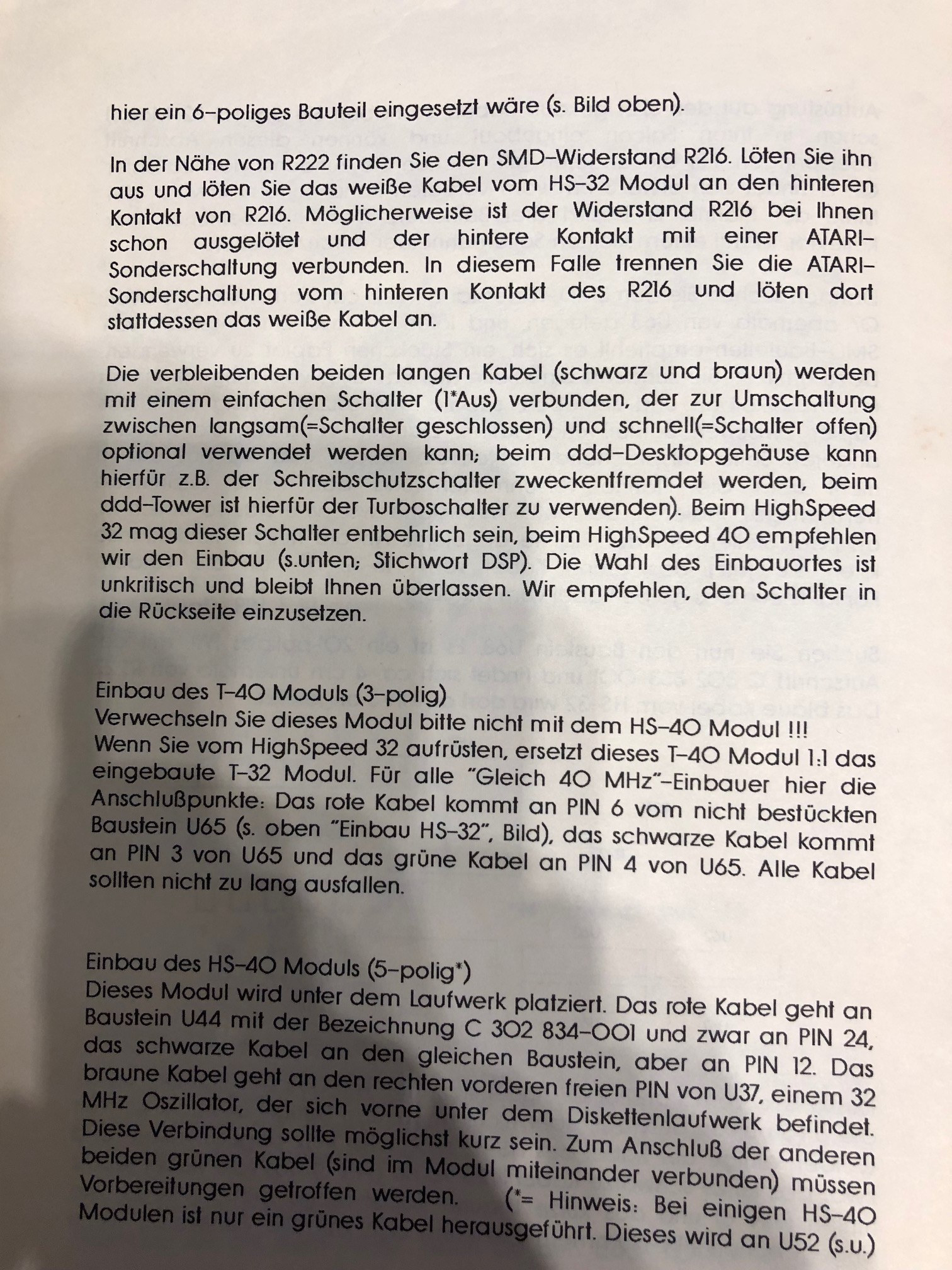
The third page continues the HS-40 installation and provides a useful connection summary for the HS-32, T-40 and HS-40 modules.
HS-32, T-32, T-40 and HS-40: Mind the Names
One detail worth highlighting is that the instructions discuss several different modules.
The HS-32 module is also part of the installation described for the HighSpeed 40 upgrade. The text explains that a T-40 module replaces the T-32, while an additional HS-40 module is installed separately.
The manual explicitly warns readers not to confuse the T-40 with the HS-40.
This also means that finding a module labelled "HS-32" does not, on its own, establish the complete configuration of a modified Falcon. The other installed modules and their connections matter too.
A Note About the Installation Instructions
These pages document an invasive hardware modification. They describe removing SMD resistors, cutting a transistor lead and, for the HS-40 installation, disconnecting selected IC pins from the motherboard.
I am preserving the instructions as historical documentation, rather than presenting them as a complete installation guide. Anyone working on one of these upgrades should first identify their exact configuration and obtain the missing documentation where possible.
For my own Falcon, the most immediately useful discovery was much simpler: I finally knew what that mysterious rear switch was doing.
Still Looking for the Complete Booklet
I would love to find the complete original DDD HighSpeed 32/40 manual.
If you have a copy, a scan or additional pages, please get in touch. It would be great to fill in the gaps and preserve more of the documentation for these unusual Falcon upgrades.
Source: Original DDD installation instructions, photographed and shared by Highspeed in the Atari-home.de forum discussion.