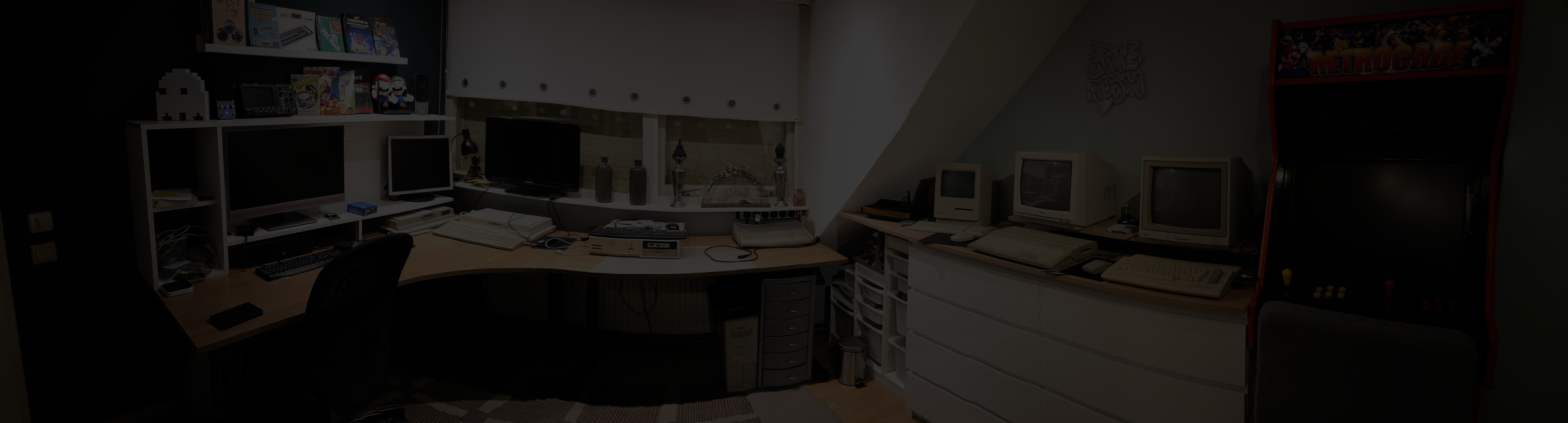

An Atari Falcon030, Finally Home
Some computers stay on your wish list for a very long time. For me, the Atari Falcon030 was one of them. Back when it was new, I would have loved to own one. My bank account, unfortunately, had other ideas.
More than thirty years later, I finally got my chance.
An advert appeared on a second-hand marketplace: a beautiful Falcon, still with its original owner. It had spent years carefully stored in its original box in the attic. I placed a bid just above another interested buyer and was invited over to have a look.
We inspected and tested the machine at the kitchen table. Everything worked, apart from one small detail: the space bar stayed down after being pressed. Its return mechanism had seen better days. Otherwise, the Falcon was in excellent condition.
This was a little beyond the "cash from my pocket" category, so I transferred the money to the owner while I was there. Then I could finally take this wonderful machine home.
Of course, you don't put a Falcon in the boot of your car. You give it a seat of its own and fasten its seat belt. Some passengers deserve special treatment. :-)
Ear Defenders Recommended
Once home, I spent some time testing and enjoying my new acquisition. Before long, one thing became clear:
Apparently, hearing protection was an Atari accessory I had forgotten to buy.
There was also a mysterious switch on the back. That was all the excuse I needed to investigate what was hiding inside.
A word of advice before opening one of these machines: on Atari ST, STE and Falcon systems with an integrated keyboard, the motherboard and metal shielding need to be handled in the correct order. Remove the board and its shielding together from the plastic lower case before separating the shields. Take your time, check for remaining screws and connectors, and never force anything.
With everything carefully opened, the mysterious switch began to make sense.
A Surprise Under the Bonnet
My Falcon had a DDD HS-32 accelerator installed.
This modification allows the Motorola 68030 processor to run at 32 MHz instead of its standard 16 MHz. The memory bus remains at 16 MHz, so it doesn't double the speed of everything, but it was a very welcome discovery.
The rear switch selects between the two CPU speeds. Finding photographs of the original installation instructions also answered an important question: connecting the module's long brown and black switch wires selects the slower mode; leaving them disconnected selects the faster mode.
A little hidden bonus from the machine's previous life!
While I was inside, I identified the two main contributors to its soundtrack: the cooling fan and a Seagate ST9235A hard disk.
Trading Spinning Platters for CompactFlash
The Seagate provides about 210 MB of storage. That was a respectable amount once, but its mechanical whine was less appealing today.
Fortunately, the Falcon's internal hard disk uses a standard 2.5-inch, 44-pin IDE connection, including power through the same connector.
I replaced it with a 4 GB CompactFlash card and a 44-pin IDE-to-CompactFlash adapter. At €16 for the hardware, that felt like a very reasonable upgrade.
The existing cable connects to the adapter, and after preparing the card and installing the hard disk driver, the Falcon has roughly nineteen times its previous storage capacity.
More importantly: no motor, no spinning platters and no noise.
A Quieter Fan
Next came the fan.
I bought a replacement four-wire fan and a temperature-controlled 12V PWM controller. Instead of running flat out all the time, the fan can now run more slowly and quietly, increasing its speed as the machine warms up.
The aim is to keep enough airflow through the case without making the Falcon sound as though it is preparing for take-off.
The hearing protection can finally come off.
Bringing the Falcon Back Up to Date
There was another reminder of the machine's age: its clock could no longer remember the time.
The Falcon combines its real-time clock and battery-backed configuration memory in an RTC/NVRAM module. The original module contains a sealed battery, and after more than thirty years, that battery had earned its retirement.
I sourced a replacement RTC/NVRAM module from Centuriontech.
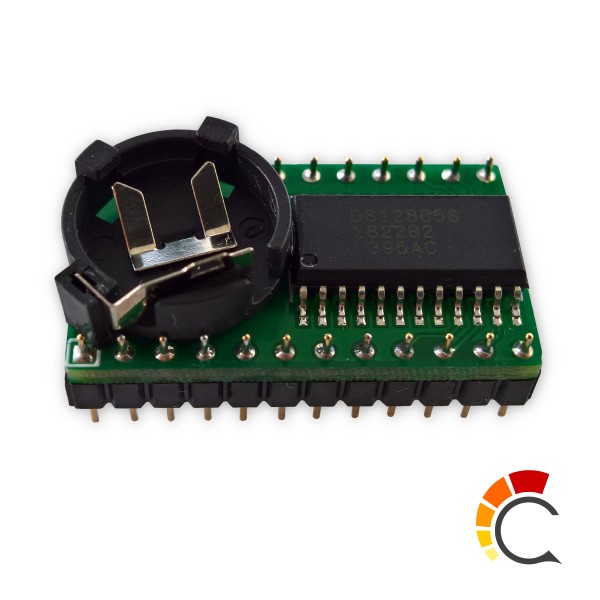
Removing the original soldered module was a job for patience and controlled heat: this is not a place to pull at the chip and hope the motherboard follows along. With the old module removed and the replacement fitted in the correct orientation, the Falcon could remember its settings and keep time again.
Finally, an Atari that knows what year it is. :p
From 4 MB to 14 MB
By now, the computer I had wanted all those years ago was looking rather comfortable in my attic hobby room.
But there was still one item on the wish list: RAM.
My Falcon had 4 MB, while its standard memory system can support up to 14 MB of usable ST-RAM. Original expansion boards are difficult to find, and modern replacements seem to sell out almost as soon as they become available.
Eventually, I decided to design my own board in KiCad.
Rather than hunting down eight individual DRAM chips, I used a 72-pin SIMM socket and a suitable 16 MB memory module. I even managed to find a right-angle socket—thank goodness—so the SIMM could lie low enough to fit inside the case.
The module I chose was an OKI MSC23432D-60BS8: a 16 MB, non-parity FPM SIMM fitted with eight 60 ns MSM5117400D DRAM chips. These use a 5V supply and 2K refresh, both important details when choosing memory for this design.
Although the module physically contains 16 MB, the Falcon can use 14 MB of it. That is the limit of its standard ST-RAM address space; specialist accelerators can provide additional memory through other arrangements.
Worth the Wait
A quieter cooling system, silent storage, a working clock, more RAM and an unexpected processor accelerator.
None of this changes what makes the Falcon special. It simply makes this particular machine more pleasant to use—and gives it a good chance of remaining useful for years to come.
The computer I couldn't afford back then now has a place in my hobby room.
It took a few decades, but we got there.